Complete case study · reorganised from the original Notion export without removing the research, decisions or evidence.
Product Design Contributions: Moments, Guest Access, Conversations Link & Previews, Vibe Streams, Community
1. Overview
Communities are one of the core social features in WeAre8, designed to bring people together around shared interests and allow communities to participate in the platform through their own profiles, content, and interactions.
This feature allows:
- Users to create and manage communities
- Users to switch between a personal profile and a community profile
- Communities to publish content and interact with users (like, comments)
- Users can join a community and become members, allowing them to share content such as posts, conversations, and moments within the community.
2. Future Scope
WeAre8 needed a way for:
- groups of people with the same interests to come together in one place
- both community members and the community itself to create content and interact using their own identity
To support this, the Community feature allows users to create communities and switch between their personal profile and a community profile. Members can join communities, share posts, and interact within them, while the community profile can also publish content and engage through likes and comments.
3. Research & Analysis
During the research and analysis phase, I focused on understanding how similar social platforms handle community-based features and identity switching. I reviewed competitor products and comparable apps to analyze how communities are created, managed, and represented, and how users switch between personal and group identities.
In parallel, I worked closely with the Business Analyst and CTO through discussions and workshops to clarify core questions and requirements for the feature. These sessions helped define critical behaviors and constraints, such as:
- How users switch between personal and community profiles
- Whether accounts should be clearly separated or context-dependent
- What content and media are visible when acting as a community versus an individual
- How interactions differ based on the active identity
This phase helped align product, business, and technical perspectives early on, allowing us to define clear rules and assumptions before moving into user flows and detailed design.
4. Core User Flows
I started by mapping core user flows using wireframes and prototypes to validate navigation and key interactions before moving into detailed UI design.
Core flows included:
- Discovering communities
- Creating a community
- Switching between personal and community profiles
- Joining and leaving a community
- Posting as a member vs posting as a community
- Interacting with users vs interacting with other communities
Once the main flows were validated, I expanded into secondary flows and edge cases.
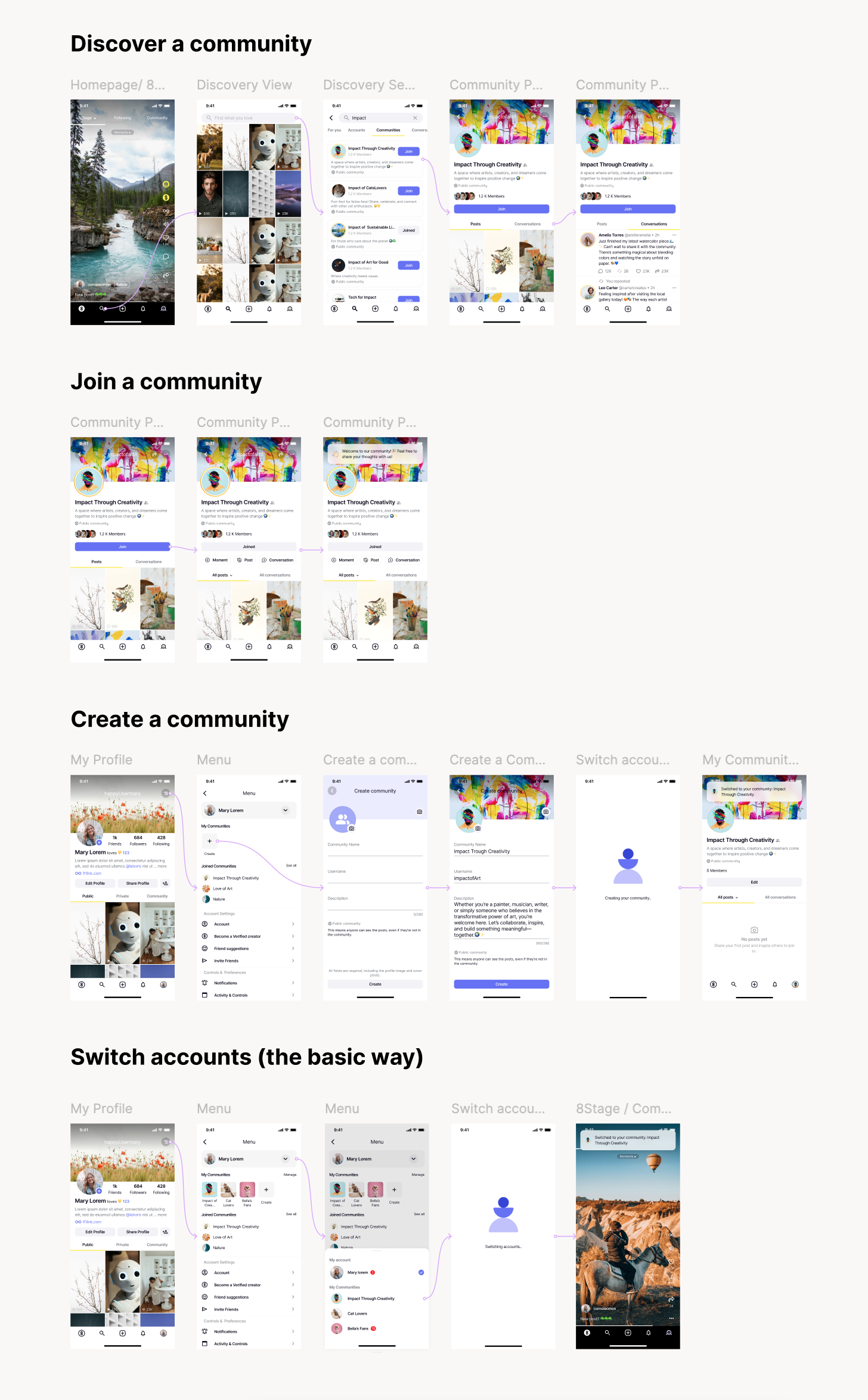
Examples of Core User Flows (High-Fidelity Designs)
4. Key Roles & States
This feature required designing for multiple user contexts:
User roles
- Individual user (not a member)
- Individual user (community member)
- Individual user (community owner)
- Community profile (acting as the community)
Each role affects:
- What actions are visible
- Which interactions are allowed
- How content is displayed
A major design focus was ensuring users always understood who they are acting as what they can do in that state.
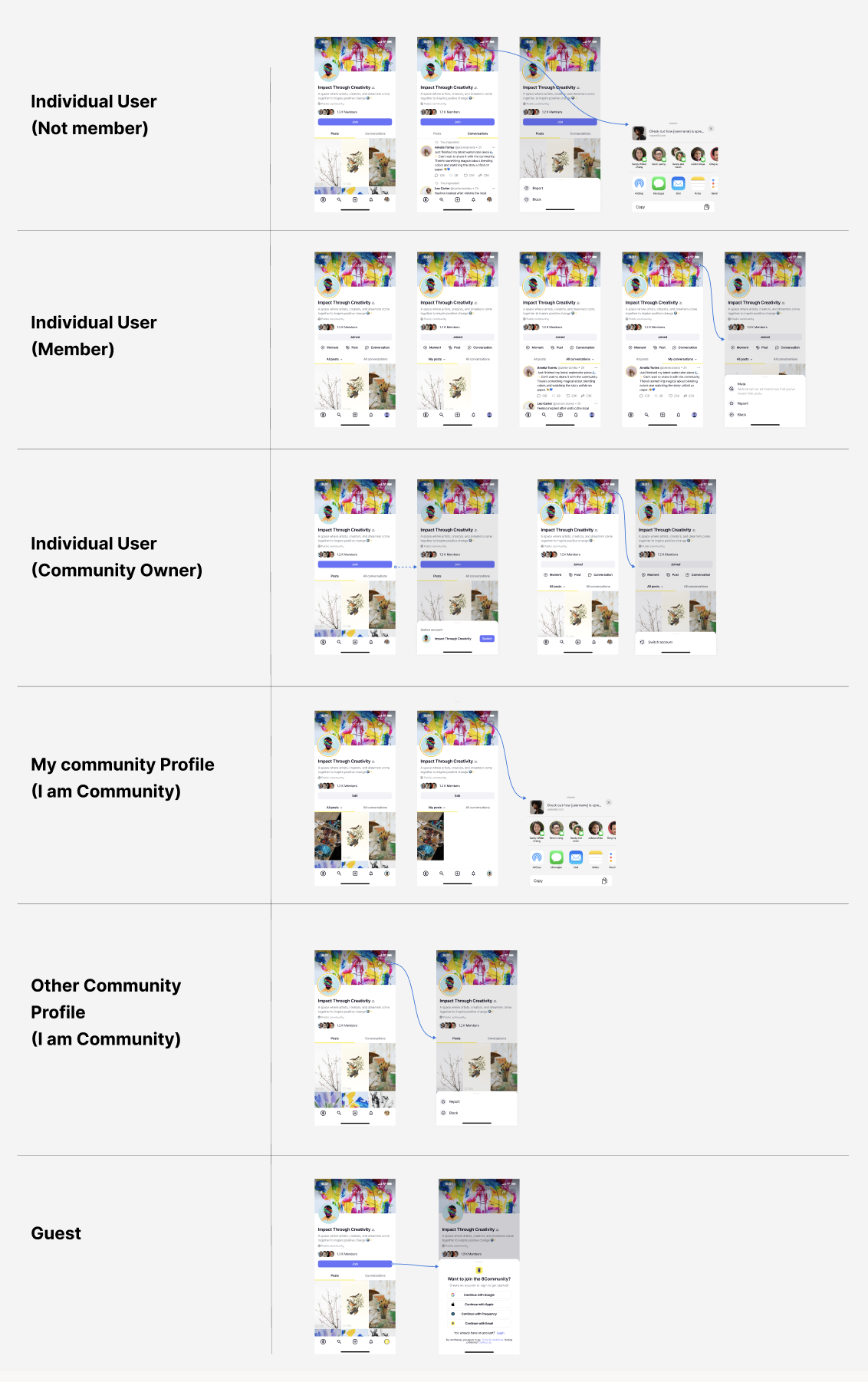
Example of different roles & interactions for each case
5. Interaction Rules & Edge Cases
This feature required handling many interaction combinations, for example:
- User → Community: like, comment, join
- Community → User: like, comment, invite
- Community → Community: limited interactions (no invites)
- Member posting vs community posting
- Guest access vs logged-in access
I worked through these scenarios systematically to:
- Avoid conflicting actions
- Ensure consistent behavior across feeds, profiles, and lists
- Handle empty, restricted, and transition states gracefully
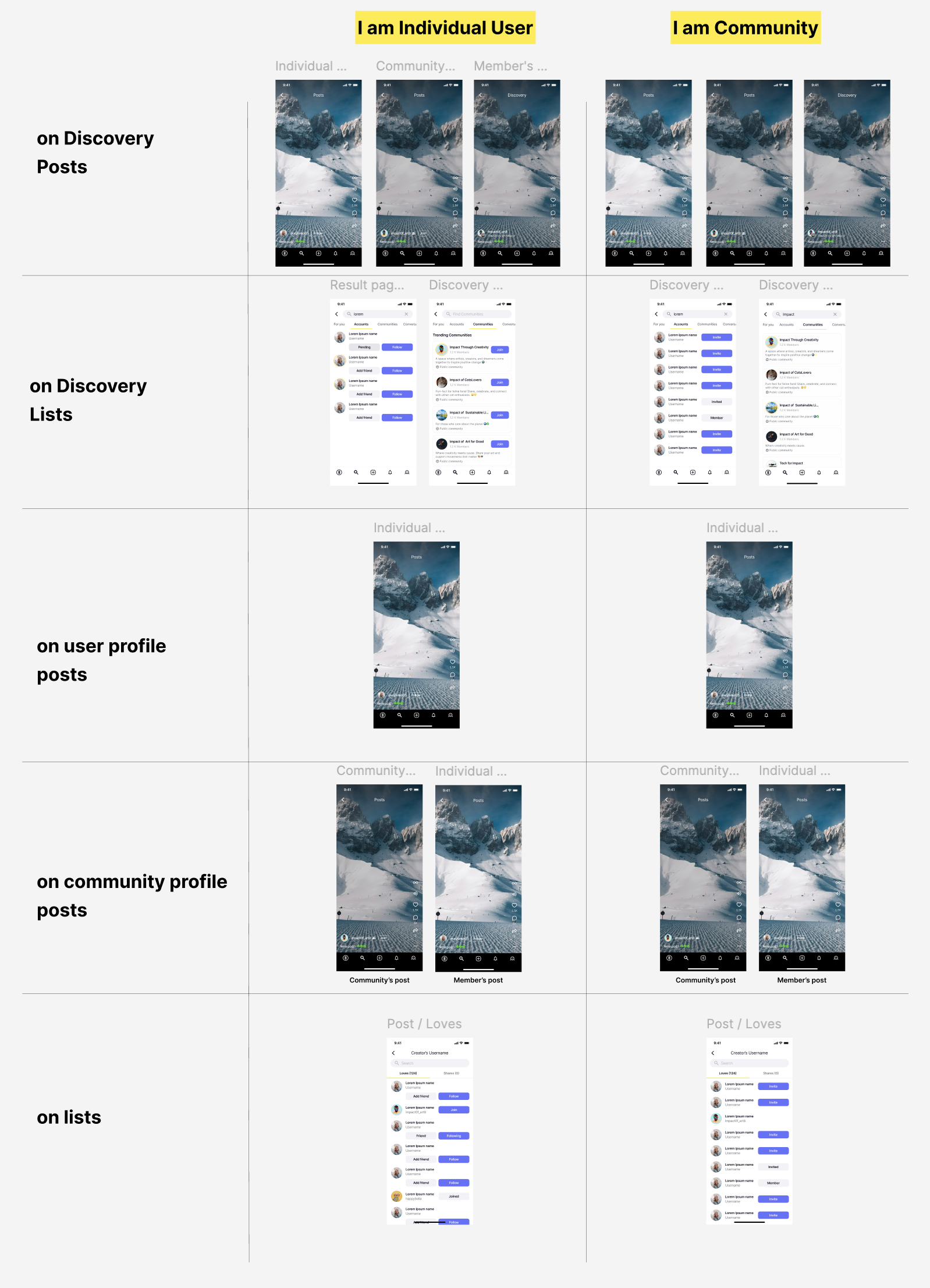
Example of different roles & interactions for each case
6. Collaboration & Stakeholder Alignment
This feature required close collaboration with:
- Business Analyst — to define and refine requirements
- Engineering — to align flows with technical feasibility
- QA — to validate edge cases and state transitions
Many decisions were the result of trade-offs between:
- User experience
- Business rules
- Platform safety
7. Outcome & Learnings
This feature:
- Enabled communities to act as meaningful social entities
- Reduced confusion around identity and permissions
- Scaled across multiple surfaces of the product
- Became a foundation for future social interactions
Key learning:
Designing social features is less about UI and more about clarity, rules, and responsibility.
8. My Role
- End-to-end product design
- User flow definition
- Edge case handling
- Cross-functional collaboration